Streamline Signature Collection for Your School

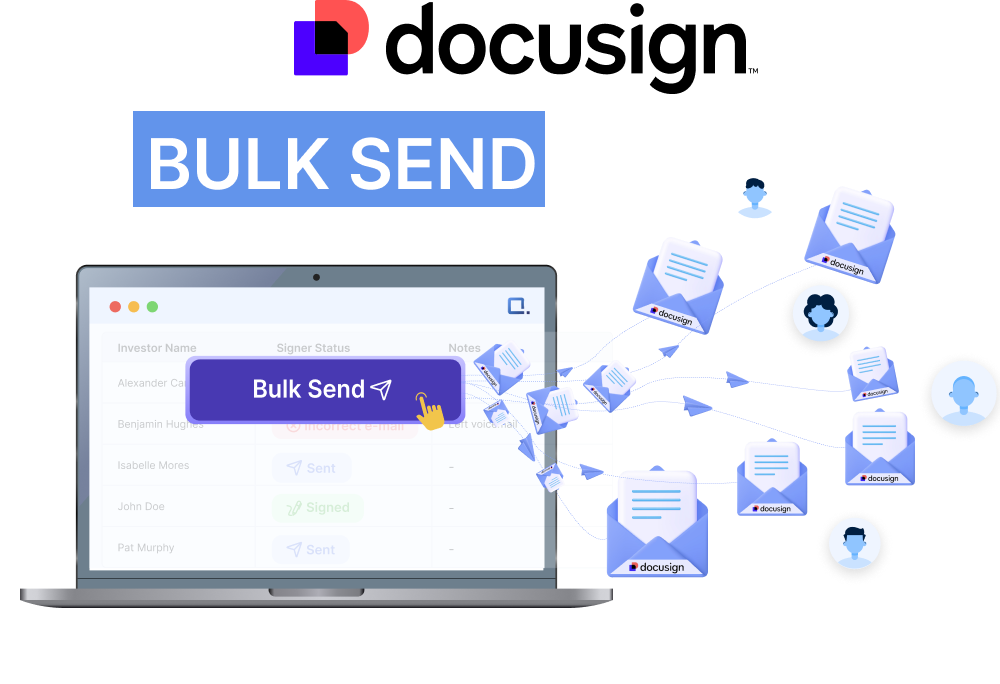
Stop wasting time on manual paperwork and chasing signatures from parents, staff, and students.

Simplify your document workflows with automated bulk sends that ensure every form is signed on time.

Trusted by Schools Nationwide to Simplify Signature Collection

Tired of the Manual Work?

Don’t Let Paperwork Slow Down Your School Year

Avoid endless paperwork and manual tracking of parent and staff signatures.

Stop spending hours fixing errors and matching fields in CSV files for every new batch of documents.
Eliminate the hassle of manually testing, tracking, and saving signed forms.

How it Works

No More Struggling with Manual Parent Permisssions, School Trips, Media Releases…
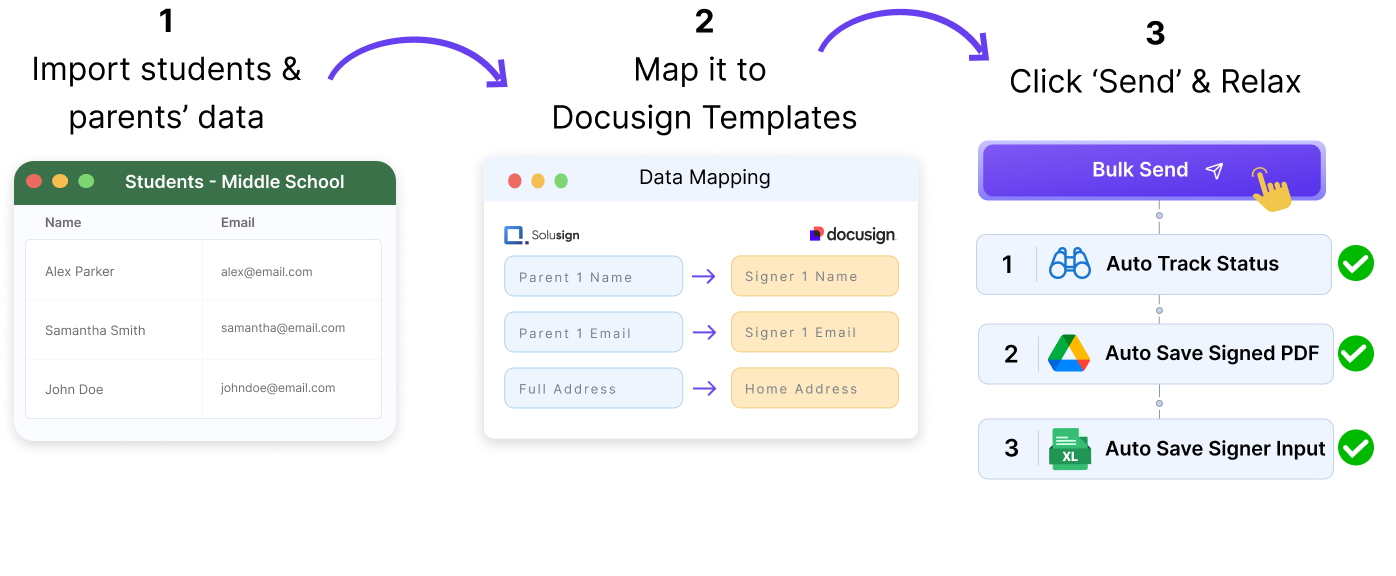
Import Parent, Student and Staff Data
Upload your parent and staff data directly into Solusign—no need for complicated CSV uploads.
Map Your Data to Your Documents
Connect your Docusign account and map recipient data to your school’s templates for permission slips, media releases, or staff contracts.

Click
‘Send’

Send all documents in one click, and let Solusign automatically track, organize, and store every signature.

Eliminate the Stress of Managing Parent, Student and Staff Signatures

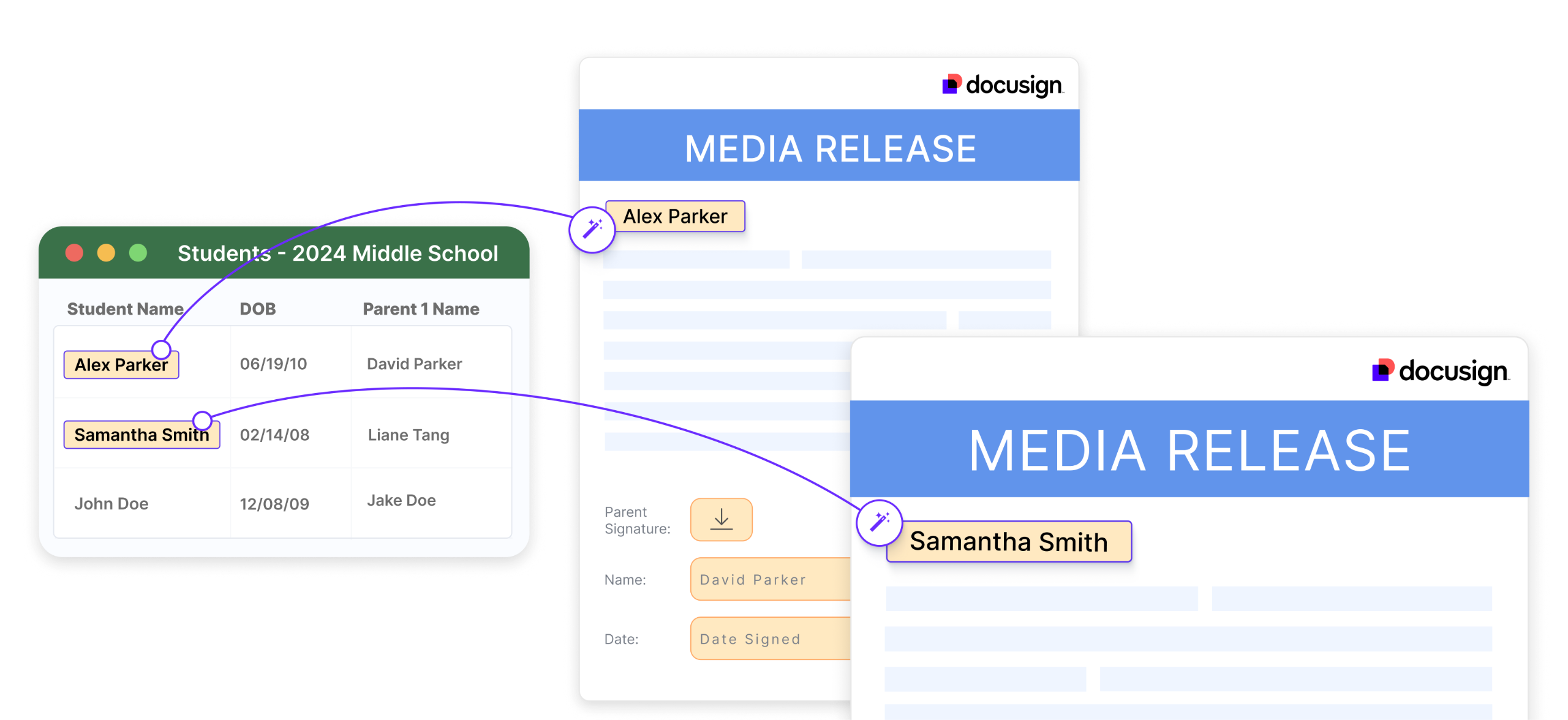
Create Ready-to-Sign Documents Automatically

No more copy-pasting or manual errors. Generate ready-to-sign documents directly from your school’s data.

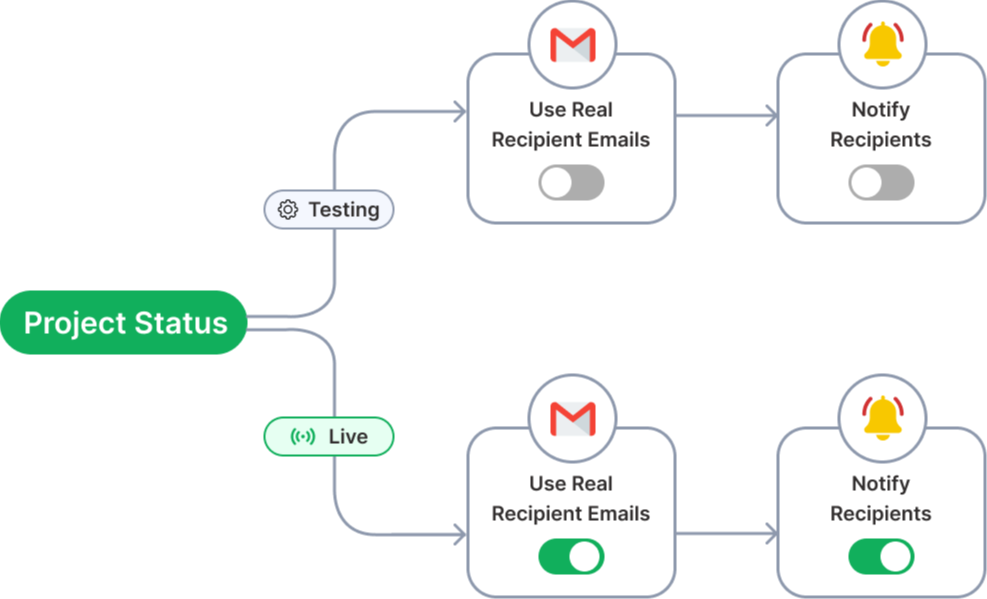
Test Signing Process Before Sending

Simulate the signing process with your own email address before sending to real parents or staff.

Auto-Track Signatures Across All Forms

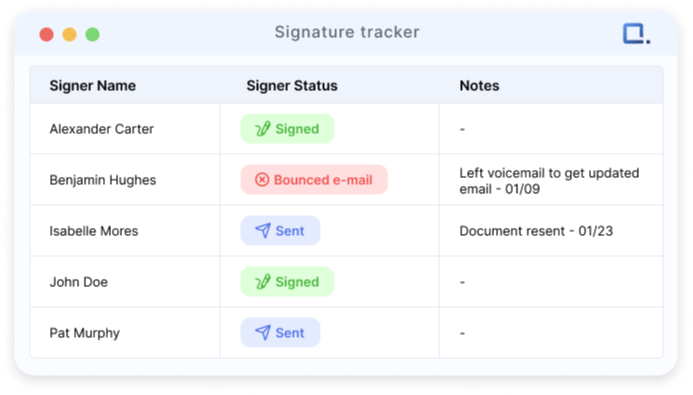
Stop searching through spreadsheets to see who hasn’t signed. Solusign automatically tracks signatures in real-time—no more manual follow-ups.

Auto-save signed parent and student forms

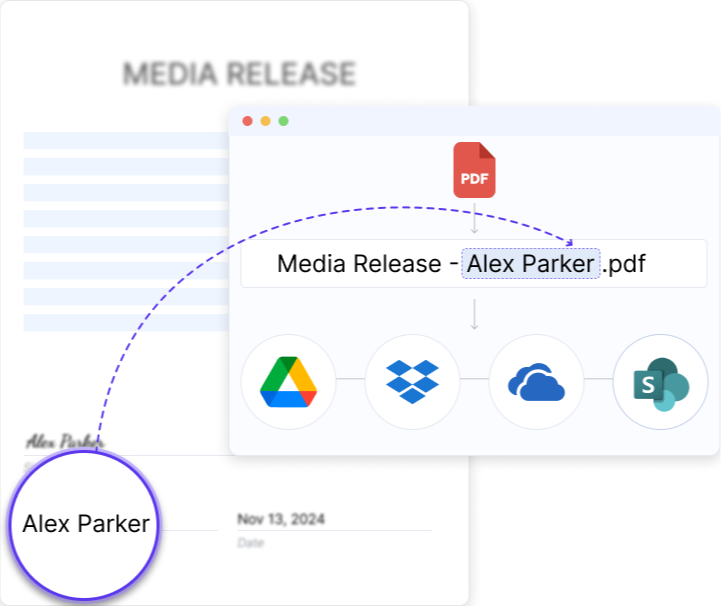
Solusign automatically saves and organizes your signed PDFs in cloud storage, using variables like {student_name}—no extra work needed.

Auto-Update Student Records with Permissions

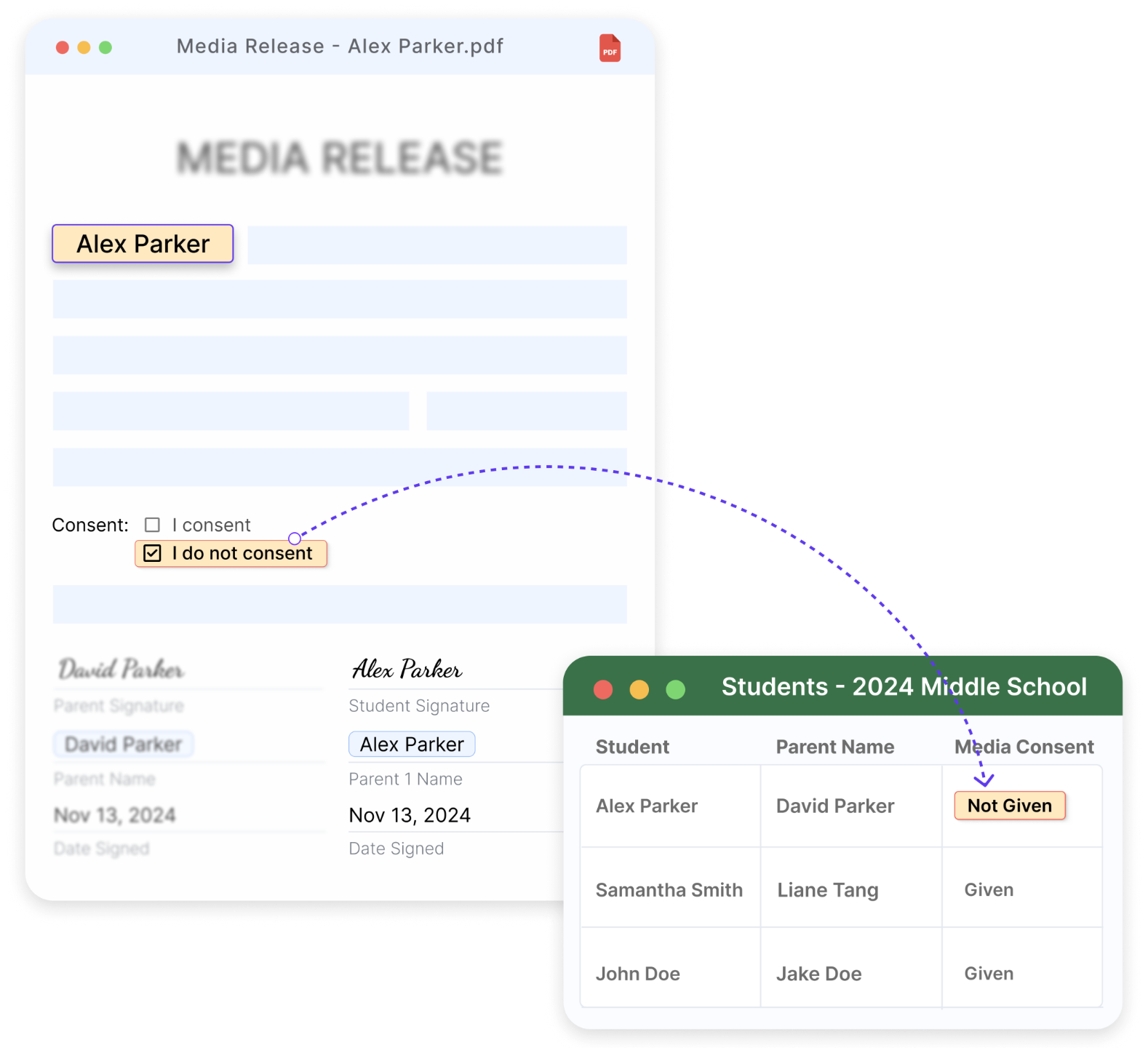
As parents or staff fill in forms, Solusign automatically updates their records in the system. No more manual data entry.

Solusign Solves Your School’s Biggest Paperwork Challenges

Collecting Signatures in Bulk With Docusign CSV 🕰️ With Solusign ✨
💾 Data Storage
One centralized place to store your recipient data and documents
Not available
250,000 records across 5 customizable tables
⬆️ Importing Data to Docusign
Data import process
Import CSV files manually
Docusign integration
Mapping recipient data to Docusign fields
CSV column names must match
Flexible mapping where users choose and map fields
⚙️ Setting Up Workflows
Create envelopes with flexible recipient numbers
Requires multiple templates and CSV files
Automated
Automate the entire document workflow
⚠️ Limited
Automated
🧪 Testing Envelopes
Preview envelopes before sending
Not available
Available
Simulate signing process to catch errors before sending
Requires multiple CSV uploads with test data
Automated
🚀 Sending Envelopes
Maximum number of recipients per batch
⚠️ 999 recipients
125,000 recipients
Group envelopes by project
Not available
Automated project grouping
Send via SMS & WhatsApp
Not available
Available
Personalize email content
⚠️ Limited
Fully customizable
🔍 Tracking Envelopes
Generate reports to track large volumes of envelopes
Not available
Available
Leave notes on specific envelopes
Not available
Available
Share live signing status with collaborators
Not available
Available
🔄 Updating Envelopes
Update recipient emails and other info after sending
⚠️ Manually updated in Docusign
Automated updates
Mass update envelope details
Not available
Available
Mass resend or void envelopes
Not available
Available
📑 Storing Signed PDFs
Automatically store signed documents in cloud storage
⚠️ Requires manual setup in Docusign
Fully automated
Name signed PDFs using custom variables
⚠️ Limited options for file names
Full flexibility, using variables like {signer_name}
📝 Storing Signer Inputs
Automatically update signer records with form data
Not available
Available
Reuse Signers' inputs in future documents or envelopes
Not available
Available

Why Keep Struggling?

You Deserve an Easier Way

Avoid Manual CSVs Forever: No more fighting with uploads, errors, and endless testing.

Stop Losing Time to Rework: Automate repetitive tasks and fix errors without starting from scratch.

No More Bottlenecks: Scale effortlessly—send up to 60,000 envelopes in one click.

Say Goodbye to Complicated Systems: Get everything done in one place with a simple, intuitive interface that does the hard work for you.

Don’t waste another minute fighting with paperwork. Try Solusign and make form collection stress-free.

What Our Clients Are Saying

Testimonials

"1 click sends contracts
to everybody"

Kathy Peters
CFO
Benchmark School Group

"Solusign enabled seamless form management & efficient data dissemination, executed swiftly."

Bryan Price
Chief Information Officer
Milton Academy

Frequently Asked Questions

How is Solusign different from Docusign and other electronic signature tools?

Solusign leverages Docusign, but unlike other eSignature platforms, users can stores all the data needed to create envelopes such as recipients’ names, emails, etc. No more CSV uploads to Docusign needed!

Thanks to its easy to use interface, the Solusign app makes creating, sending, tracking and storing signatures easy and stress-free.

After connecting their Docusign account to the Solusign app, users can easily map their recipient data to the fields in their Docusign templates in a few clicks. This is how personalized documents can be created in mass without any copy paste.

The Solusign app tracks signing status in a dashboard, so there’s no need to go to the Docusign website.

Once signed, documents will be automatically stored in your Cloud Folder (Google Drive, One Drive or Dropbox). And they’re named the way you like (you can include things like {client_name} in the file name.

This automates bulk document creation, mail merges, and renaming signed PDFs, streamlining large-scale agreement workflows.

Solusign’s robust platform is built for scale, capable of managing anywhere from one signature to thousands with ease. With Solusign, you can create, send, track, sign, and store high-volume documents on autopilot, without involving IT or extensive paralegal support.

Yes, with Solusign, you have the ability to preview documents and emails prior to dispatch. This feature not only reduces the likelihood of errors but also ensures that every transaction is executed seamlessly and accurately.

In addition to its signature management capabilities, Solusign offers features such as automated document renaming and streamlined workflows. While not designed to function as a CRM, Solusign empowers users with tools to enhance efficiency and productivity throughout the signature collection process.

Solusign is especially valuable for legal professionals, including fund, venture capital, M&A, and private equity lawyers, who need to efficiently collect signatures from multiple signers.

It’s also beneficial for educational institutions, such as schools, that need to capture signatures from parents, staff, and students.

Yes, Solusign employs bank-grade security measures, the same level of security used by Docusign, to ensure that all your data remains safe and protected.

Ready to Transform Your Mass Signature Workflow?

Save hundreds of hours creating, sending, tracking, and storing Docusign signatures.